



Country flagChina Mainland

Industrial Connectors High Power Connectors Circular Connectors M12 System Cabling har-modular®: PCB Connectors
News Press & media contacts Technology magazine tec.news
PEOPLE. POWER. PARTNERSHIP. Jobs.HARTING.com Your Contact Persons

Industrial connectors / Han®


Overview
Rectangular connectors
Industrial circular connectors
Connectors & cable assemblies for specific applications

Circular connectors


Overview
Metric circular connectors
Industrial circular connectors

Device connectivity


Overview
PCB connectors
PCB connectors
Panel feed throughs
Panel feed throughs
Cable connectors and cable assemblies

Industrial Ethernet Switches


Overview
Industrial Ethernet Switches

Operator interfaces


Overview
Operator interfaces
Operator interfaces

Charging equipment for Electromobility


Overview
Charging equipment for Electromobility

Tools


Overview
Tools
Tools

Cable assemblies & bulk cables


Overview
Power and signal
Power and signal
Data
Data
Bulk cables
Bulk cables

Industries


Railway
Railway Overview
Automation
Automation - Hero Image
Energy
HARTING connectors inside a wind turbine
Machine Building
Machinery
Robotics
Robotics Overview
E-Mobility Technologies
AES sector graphic MOBILITY
Data Centres
Data Centers Website Touchpoint Graphic - 1200 x 628.jpg
Semiconductor Manufacturing
SemiconductorManufacturing_Overview.tif
Agriculture Technologies
Industry - Agriculture Technologies Overview
Hydrogen Technologies
Hydrogen Ecosystem Overview

Solutions


Customised Solutions
HARTING customised solution
Circular connectors cable assemblies
Cable assemblies circular connectors
Industrial Ethernet solutions
Field wireable connectors
Field installation
Single Pair Ethernet
Cable Connectors Cable Assemblies Data connectors Single Pair Ethernet
D-Sub PushPull
D-Sub PushPull connect
Solenoid systems
Solenoid systems
MID Solutions
MID Solutions

The Technology Group


Technology Group
HQT Building, Espelkamp
History
The Future needs the Past
Board
A family-run company
Partnerships
Partnerships
Our Sporting Commitment

HARTING in China


HARTING in China
HARTING China.jpg
HARTING China Awards
Web seminars held in China
Web-seminars held in China
Exhibitions held in Southeast Asia
Exhibitions held in China
HARTING China's social media
China's Solution Highlights

Newsroom


News
News room
Press & media contacts
Contact for journalists
Technology magazine tec.news
tec.news issues 45 - 49

Sustainability


Our Responsibility
Our Responsibility
Our Corporate Culture
Our Environment
Our environment
Our Technologies
Our technologies
Our Social Commitment
Whistleblower System
Protect by Seeing and Acting - BKMS Whistleblower System
Download Certificates - Integrated Management System
CSR Certificates

Quality


Integrated Management System
2024-05_GettyImages-1214111373_man woman talk tablet.jpg
Our quality claim
HQT Building, Espelkamp
Testing and Laboratories
Material analysis
Our Social Commitment
Our Environment
Our environment
Download Certificates - Integrated Management System
CSR Certificates

Support & Services


Engineering Data & Services
Configurators
Configurator Image person in front of Desktop with Han configuration
Website Training Center
More about Digital Twin
Digital Twin Image
Technical support
Customer Support - Front of HARTING plant 1 HQT
myHARTING
Website Advanced Stage
Newsletter subscription
newlsetter confirmation
Business Consulting
2024-06_business_navigator_GettyImages-1274389570.jpg

Downloads


Download Documents
Downloads
Download Manager (Download Product Data)
Download Product Data
Download Certificates - Integrated Management System
CSR Certificates
Download Declarations - Product Compliance
CSR Certificates

Buy Products


Direct order via myHARTING
Find Distributors
Customer Support - Front of HARTING plant 1 HQT
Digital Procurement (EDI, OCI, WebService)

Partner Management


Supplier Portal
Supplier Portal
General supplier information
Handshake

Contact


HARTING in China
HARTING China.jpg
HARTING Worldwide
HARTING Worldwide - Flags

Alternatives:

Search by series
Configurators
  1. Home
  2. HARTING Product Configurators
  3. Industrial Connector Han® configurator

Industrial Connector Han® configurator

From inserts to hoods and housings: With the new Han® configurator, you can quickly and easily find a suitable combination according to your requirements.


Han configuration

How the Han® configurator works


The Han® Configurator is an intuitive online tool that helps you design and customize your connector solution step by step. You can select the right housing, inserts, and accessories, ensuring compatibility and compliance with application requirements.


Define Requirements: Choose your connector type, number of contacts, and transmission media (power, signal, data, etc.).


Configure Components: Select housings, inserts, and modules from the Han® portfolio.


Validate & Review: The tool checks compatibility and provides an evaluated summary of your configuration.


Download & Order: Export CAD data, parts lists, and documentation, or send the configuration directly for ordering

Your benefits at a glance

clock icon

Time-saving

Quickly find the right components without manual searches in the printed catalogue.
Error reduction icon

Error reduction

Automatic compatibility checks prevent mismatched parts.
Full documentation icon

Full documentation

Get CAD files, technical data, and a complete parts list instantly.
Access anywhere icon

Access anytime, anywhere

Easily adapt configurations for future changes or upgrades.

Three types of Han® configurators


han-monobloc.jpg

Industrial Connectors | Han® Monobloc

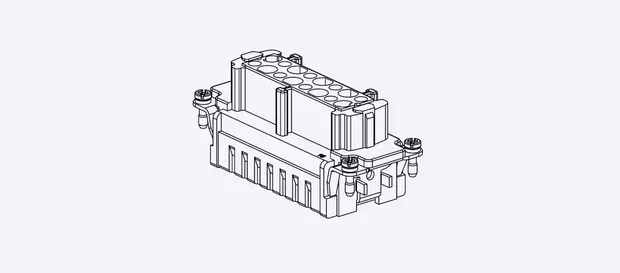
A monobloc connector is a single-piece insert connector. They are ideal for applications requiring high contact density in a compact form, making installations simple.

Start configuration
han-modular.jpg

Industrial Connectors | Han-Modular®

Han-Modular® connectors are a customizable modular connector system that allows combining multiple transmission media—such as power, signal, data, and even pneumatics or fiber optics.

Start configuration
han-hchv.jpg

Industrial Connectors | Han® High Power

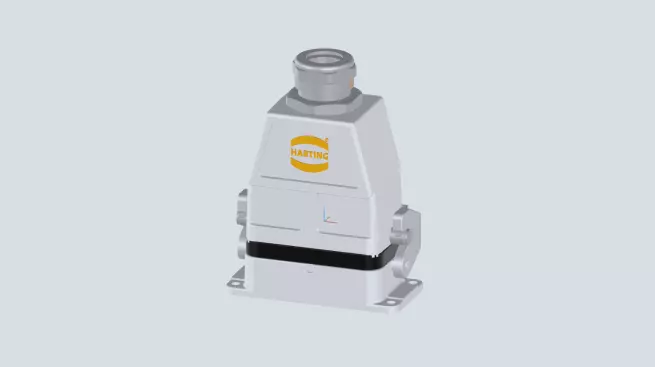
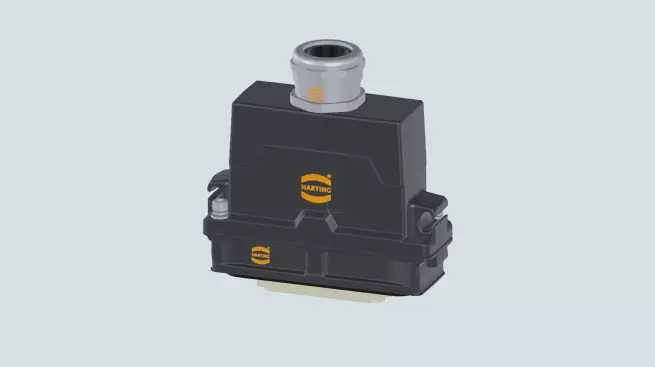
Han® High Power connectors are designed for safe and efficient transmission of very high currents in demanding industrial environments, even outdoors.

Start configuration

Legacy Han configurator


The previous Han Configurator will still be available for a transitional period. However, we recommend that you use the new configurator, as configurations saved in the previous configurator cannot be opened in the new configurator.

Legacy configurator

Configuration examples

Here are some configuration examples to give you an overview of the versatility that our Han® connector portfolio has to offer.
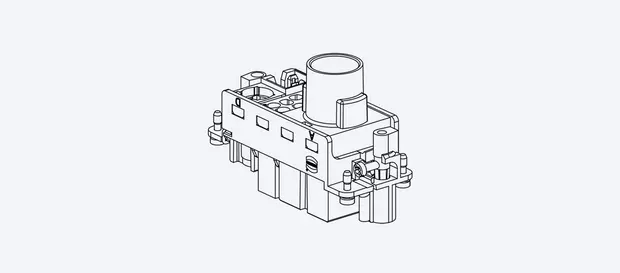
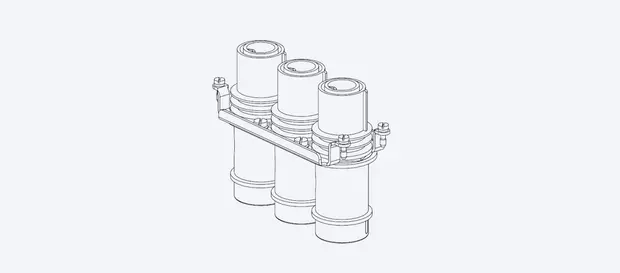
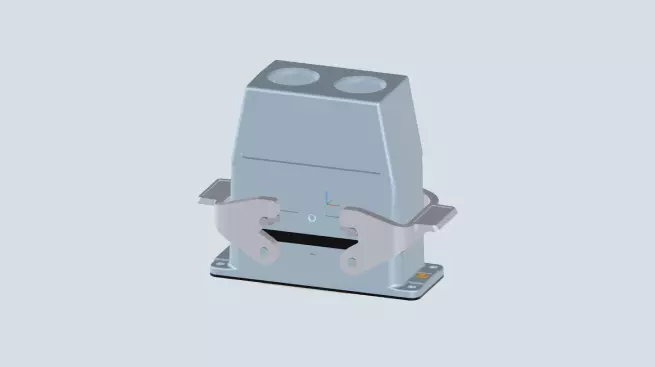
Configuration EBIT81

Industrial interface with power and signal

IP65, 32 contacts up to 16A for power, 24 contacts up to 10A for signal, used in machinery for example
Open in configurator
Configuration 50764U

Industrial EMC interface as IP66

IP66 solution, EMC resistant, PE contact also as crimp contact
Open in configurator
Configuration r7j7c6

Interface for food & beverage industry

IP67 or IP6K9K (ISO 20653), Ecolab approved cable gland
Open in configurator
Configuration 2z7mgs

Railway Interface for tight spaces

Interface for harsh environments, inserts for up to 100A, IP68 or IP6K9K
Open in configurator

Configurator FAQ


With our configurator, you can assemble a complete connector solution tailored to your technical requirements and application environment. The tool guides you step‑by‑step through all essential components and ensures that every selected part is fully compatible.

Yes – our configurator automatically ensures that all selected components are fully compatible. As you assemble your connector, the tool checks each selection in real time and only displays options that match the housing size, connector type, electrical requirements and mechanical specifications.
Nevertheless, you should still use your technical expertise. There are always areas that the configurator cannot cover, such as whether there is enough space in the housing to connect the cables to the insert.

No, you can use the configurator without a myHARTING account. All configuration steps, including selecting components and generating a complete connector solution, are available to you directly. However, creating or signing in to a myHARTING account gives you additional benefits:

  • Save and manage your configurations

  • Share projects with colleagues

  • Access your configuration history

  • Download CAD files, datasheets, and BOMs

The configurator automatically checks your selection against all relevant technical and product standards. Each step is validated so that only components that meet the required specifications and are mechanically, electrically and environmentally compatible remain available.


Nevertheless, it is important that you use your technical expertise to ensure that you only select components that meet your desired standard (e.g. UL or a specific IP protection class). HARTING cannot accept any responsibility for ensuring that the connector ultimately meets a specific standard.

Yes. You can save your configuration and continue working on it whenever you like. To do this, simply sign in with your myHARTING account.

Everytime a configuration is saved, we create a new unique configuration ID that represents the state of the configuration at the time it was saved. Any changes to the configuration afterwards do not affect the already stored configuration. If you make changes to a configuration and save it again, a new unique configuration ID is generated. That’s why a stored configuration always stays the same.

Yes. You can easily share your configuration with colleagues, partners, or customers. Simply sign in with your myHARTING account and use the sharing options provided. The person you share the configuration with does not need a myHARTING account by the way.

Everytime a configuration is shared, we create a new unique configuration ID that represents the state of the configuration at the time it was shared. Any changes to the configuration afterwards do not affect the already shared configuration. If you make changes to a configuration and save or share it again, a new unique configuration ID is generated. That’s why a shared configuration always stays the same.

Absolutely. We have our "Solution Wizard" especially for this purpose. The Solution Wizard helps you find the right connector solution for your requirements. Simply enter your requirements into the wizard (e.g. current and voltage or other components) and the configuration logic will create a customised connector for you in the background.

Yes. Once your configuration is complete, you can download all relevant technical documents directly from the configurator. This includes technical data sheets, CAD and STEP models, 2D and 3D drawings as well as BOMs. Please keep in mind that you need a free myHARTING account in order to download the data.

Yes. Once you have completed your configuration, you can proceed directly to the order or request a quote. The configurator provides all the necessary part numbers and allows you to transfer your configuration to the HARTING shopping basket.
However, there is one prerequisite: you need a myHARTING business account. If you do not yet have one, you can first create a myHARTING account and then click on "Upgrade account" after logging in to your account.

HARTING Newsletter

Social Media

Country flagChina Mainland

© HARTING Technology Group | HARTING (Zhuhai) Manufacturing Co., Ltd. Room 201, No.19 Chuangxin Si Road, Zhuhai City Tel: 86 40 01761166 Shanghai branch Room 3501-3510 Grand Gateway 1, NO.1 Hong Qiao Road, Shanghai Tel:86 21 34189758

  • Imprint
  • Privacy Policy
  • Cookie Policy
  • Privacy Policy (Umeng+)
  • Terms of Use
  • Customer Information
  • 粤ICP备19078745号-1
  • 粤公网安备 44049102496590